TL;DR The official DDPAI app never once connected to my dashcam, so I mapped the camera’s undocumented local Wi-Fi API and wrote a zero-dependency Python client for it — and found that the camera’s own settings API is far bigger than the app’s UI admits. The phone side turned into an Android app, because Android makes a dead-end Wi-Fi network surprisingly hard to automate. Almost all of the code here was written by AI agents working under my direction. This post is the technical story — and an honest account of what that way of building software is actually like.
I need to be upfront about something before the technical part, because I think it’s the most interesting thing about this project: I didn’t write most of this code. AI coding agents did, working under my direction — me choosing what to build, checking what came out, and deciding when it was actually finished.
That framing matters, because the useful question isn’t “can an AI write a Python client?” It obviously can. The useful question is whether it can figure out an undocumented protocol belonging to real hardware that it cannot see, and then build something that actually works on a phone in a car. The answer turned out to be “yes, with a lot of course correction” — and the course correction is the part worth writing down.
The problem
I’ve been running a DDPAI Z50 in my car for a while. It’s a good dashcam: clean 4K footage, GPS, a rear camera. The official app, though, has never been able to talk to it — not once since I bought the camera a couple of months ago.
Join the camera’s Wi-Fi, open the app, get a generic connection error with no detail — no error code, no hint about which side failed. Same camera, same phone, same network, every time. The hardware was fine; the official software simply could not reach it.
That’s the real origin of this project, and it explains why it went as far as it did. I didn’t set out to reverse engineer a camera — I set out to get my own footage off my own dashcam. Doing that properly meant understanding the device’s API, then the firmware behind it, and then the vendor app that was supposed to work in the first place.
I still don’t know why the app failed. My best guess is an Android platform change: modern Android gates access to the local network behind a permission, and an app that doesn’t declare it can’t reach a device sitting on your own Wi-Fi. But the enforcement I can find documented applies to apps targeting a newer API level than the one this app targets, so the explanation doesn’t fully land, and I never got a straight answer out of the app to confirm anything. What I can say is that the companion app I wrote reaches the same camera over the same Wi-Fi, on the same phone, without complaint.
And once I was inside, a second thing showed up: the camera answers a far bigger settings API than the app’s UI exposes. Resolution is one the app still handles — it maps to image_quality in the app’s own code — but a lot of the rest has no switch anywhere in the UI.
When a vendor’s software won’t do the job, there’s usually still an API underneath. So I started poking at the camera’s local Wi-Fi interface — which, being a network problem with a discoverable surface, is a task that suits an AI agent unusually well.
What’s actually in the box
The camera answers on its HTTP port as VYOU_HTTP_SERVER/2.1.3 CAM WEB 1.0, and its RTSP server identifies as Hisilicon. It is actually a Rockchip SoC with a 2.4 GHz-only iComm SSV6x5x Wi-Fi chip — but that hardware detail comes from unpacking a vendor firmware build, not from the unit in my car, and the build I could get hold of was the China-market one. Treat it as inferred rather than confirmed. None of this is documented, and DDPAI doesn’t publish an API.
The camera runs a soft AP with a name like DDPAI_Z50_xxxx, and it answers on a fixed address inside that network. Join the AP and you can talk to it.
The API surface
Everything hangs off one CGI endpoint:
POST /vcam/cmd.cgi?cmd=NAME
The first thing that trips you up is the encoding. The data field is frequently a JSON string that has to be parsed twice — you decode the envelope, then decode the string inside it. File downloads are just GET /<basename>, and there’s a lovely gotcha: the size reported by the API is in kilobytes, not bytes. That one silently produced wrong listings for a while.
There are three more surfaces besides the CGI endpoint:
| Surface | How |
|---|---|
| Live GPS + G-sensor | Raw TCP on port 6100, NUL-separated JSON (MSG_GpsData / MSG_GsensorData, NMEA inside) |
| Live video | RTSP rtsp://<ip>:554/liveRTSP/av4 (front), av5 (rear) |
| Storage / mailbox | Unlocked by requesting a certificate with the default admin / admin credentials |
That default certificate credential is the key that opens the interesting parts — storage info, the mailbox, and Wi-Fi auth queries.
Writing a client
I kept the client to the standard library only — no pip packages — because I wanted it to run from a phone shell as easily as from a laptop. The whole surface is a handful of lines:
from ddpai import DDPAI, thumb_name

cam = DDPAI("http://<camera-ip>")
cam.authenticate()
print(cam.summary())
for clip in cam.list_playback():
    print(clip.name, clip.size_bytes, thumb_name(clip.name))
print(cam.settings())  # {'record_resolution': '2160P_1600P_1080P', ...}
cam.save_settings(string_params={"wdr_enable": "off"}, confirm=True)
And a CLI on top of the same client:
python3 ddpai_cli.py info
python3 ddpai_cli.py list front --limit 8 --skip-last
python3 ddpai_cli.py list events
python3 ddpai_cli.py imu
python3 ddpai_cli.py live-gps --count 5
python3 ddpai_cli.py settings-set wdr_enable=off --yes
python3 ddpai_cli.py record off --yes   # stop loop recording; `record on` resumes
Destructive commands — reboot, format, power-off — are refused unless you explicitly confirm. That was one design decision I made before the agents started writing, and I’m glad I did: an AI agent with an unguarded API_MmcFormat is a bad idea on a device full of footage.
The parts that fought back
Two things cost the most time, and both are the kind of thing you can only find by testing against the real device:
- Some writes only work as JSON, not form-encoded. Sending
API_SuperDownloadas a form body returns0x7700003a. The same request as{"switch":"on"}works. - The settings query is key-by-key. An obvious “give me everything” body returns empty. You have to ask for specific keys, and the firmware silently omits any it doesn’t support. On the firmware I tested, it answers 45 of them.
This is where the AI-assisted approach showed its limits. An agent can generate a thousand plausible request bodies in a second, but it cannot tell you which one the camera accepted. That requires a device on the other end saying yes or no. The agent’s real value was patience: it would happily grind through permutations of encoding, parameter naming and body format that I would have given up on after twenty minutes.
Once the query worked, the settings list filled itself in — recording resolution, image quality, WDR, parking mode, G-sensor sensitivity, and more, 45 keys of it. Not all of it is writable, and not all of it is confirmed: event durations and parking mode stayed read-only, and how the named resolution levels map onto the camera’s three recording modes is still an open question.
The phone problem
Reading clips from a laptop is fine, but the entire point of a dashcam is that the footage is on the camera, which is in the car, which is nowhere near my laptop. The camera’s AP has no internet — it’s a dead-end network — so something on my phone has to grab the finished files while I drive and upload them when I get home.
This is where Android makes life genuinely difficult:
- Play Store Termux can’t reach the camera. Same script, different Termux build, completely different result — the Play Store build never gets a packet to the camera’s address. I couldn’t pin down which permission condition explains it, so treat that as an observation rather than a theory.
- Tasker couldn’t join the camera’s Wi-Fi for me on Android 10+. Tasker is itself an installed app, so this isn’t a platform wall — it’s that the Wi-Fi join needs a foreground app holding the right permissions, and I never found a Tasker route to it that worked. The app does it itself.
So scripting it on the phone was out. It needed an app.
Z50 Bridge
It’s a small Android app that does one job: get finished clips off the camera and onto my server, without me thinking about it.
- Auto-joins the camera AP through Android’s network suggestion API.
- Syncs only finished clips — it skips the one still recording.
- Confirms every upload with a SHA-256 of the file, and refuses to delete the local copy unless the receiver echoes back that it stored those exact bytes. (Camera-to-phone downloads are checked by length, not by a hash the camera supplies.)
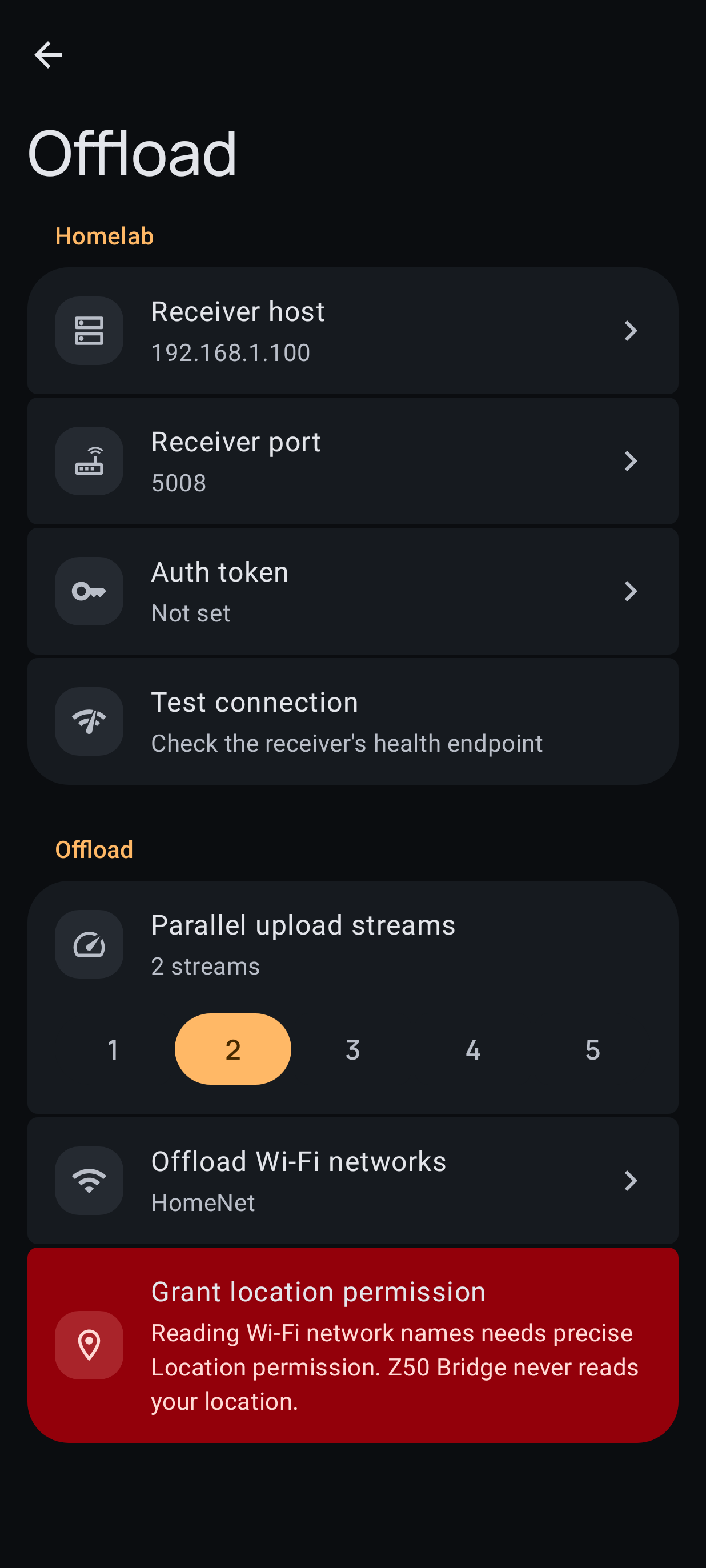
- Offloads over Wi-Fi only, with a tick-list of which networks count. It never touches mobile data, and the VPN tunnel over Wi-Fi stays exempt.
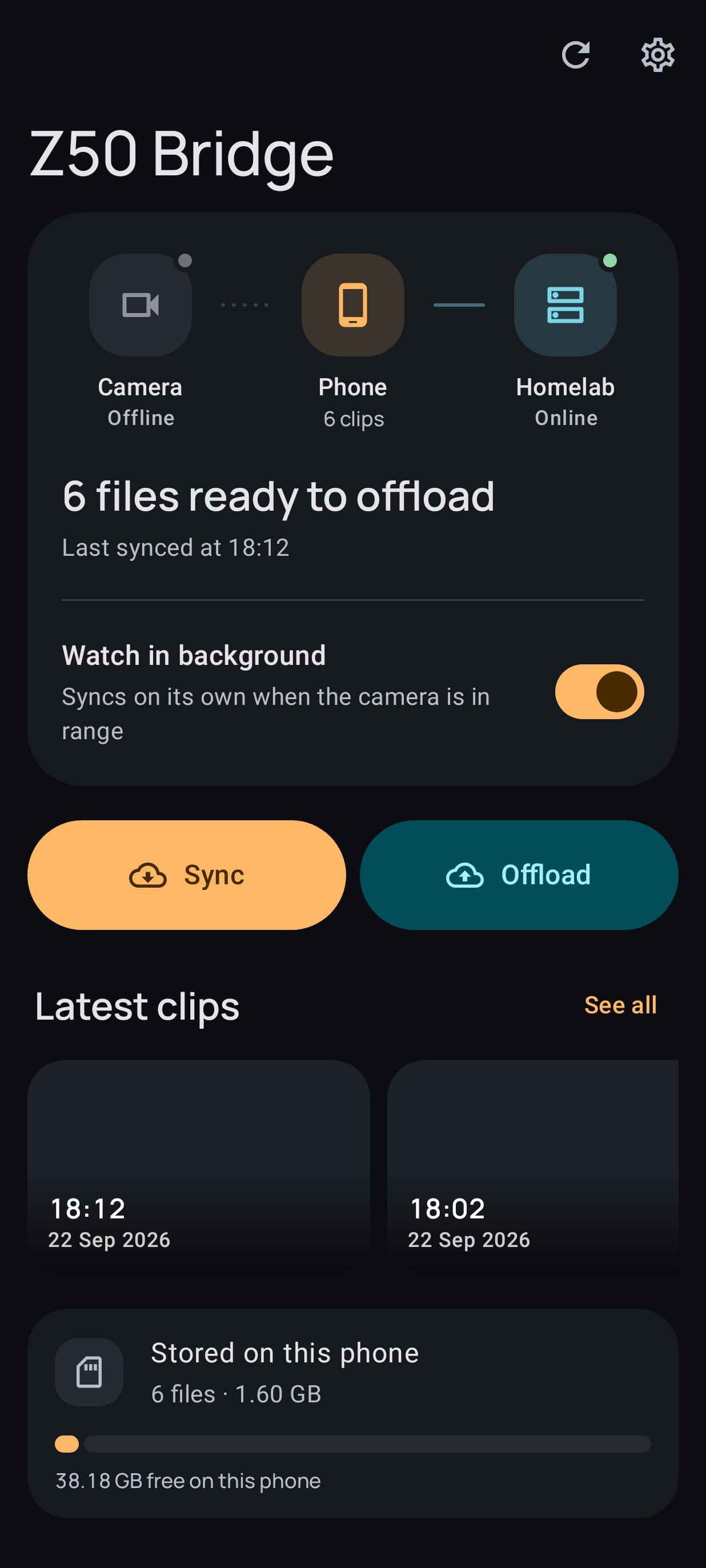
On the receiving end there’s a small HTTP receiver that accepts PUT /upload/<name>, streams each file to a hidden temp file, and only publishes it once complete. A crashed transfer never leaves a half-file behind, and re-uploading the same clip is a no-op.
Offloading from anywhere
Home offload is easy: phone and server are on the same network. The interesting case is being away from home, where clips travel over a VPN tunnel instead.
Off the home network the app uploads through a VPN tunnel instead, and that path carried a persistent packet loss of roughly 0.5–1.2% in one direction only. Upload throughput was poor: about 0.2 MB/s. Terminating the phone’s connection on a relay host and re-originating it with BBR, instead of the phone’s default CUBIC, took it to roughly 10 MB/s — with nothing changed on the phone.
I’m giving you a result here, not a mechanism. Loss on the acknowledgement path shouldn’t hurt a sender the way this appeared to, so my explanation for why it behaved that way is a guess. The fix was reproducible and the numbers are measurements; the theory is not something I’d defend.
Sometimes the network problem isn’t your network at all.
What building this with AI actually taught me
This is the part I’d want to read if I were you, so let me be specific rather than diplomatic.
It was genuinely excellent at the parts that are search-and-verify. Mapping dozens of CGI endpoints, writing parsers for NMEA and G-sensor log formats, refactoring a client into a library plus a CLI, generating the settings reference document — this is work that would have taken me many weekends, and the agent did it while I drank coffee and occasionally said “no, try the other encoding”.
It was bad at knowing when it was finished. And this is the failure mode that actually bit me. Z50 Bridge kept shipping UI that was unintuitive, and fixes that didn’t work, because the agents were judging the interface from the code. Compiling, passing unit tests, looking correct in a diff — none of that is the same as a human glancing at a screen and going “I can’t tell what that button does”.
The fix wasn’t a better prompt. It was changing the workflow: agents now have to run the app and look at what they built. I set up an Android emulator on my server specifically so an agent can install the app, take a screenshot of every screen it touched, and actually look at the images before claiming something works. UI decisions get judged on a render, not in a diff.
It was also confidently wrong in ways that looked fine. The kilobyte/byte confusion in the file listing is a perfect example: correct-looking code, plausible numbers, entirely wrong output. It survived the tests because the tests were written against the same wrong assumption as the code. Verification against reality is still my job. It has to be, because the agent has no way to know that a number that looks reasonable is off by a factor of 1024.
So my honest summary: AI agents turned a project I’d probably never have finished into one I use every day. But the value came from iteration against real hardware, not from the generation step — and the single highest-leverage thing I did was forcing the loop to include “run it and look at it”.
And one last thing worth saying, because it’s the reason this post exists at all: I built this because a vendor’s app couldn’t do a basic job on hardware I own. That’s the kind of small, specific, unglamorous tool I’d normally never justify the time for — too niche to be worth it, too annoying to live without. Working this way, “too niche to justify” stopped being a real objection.
What you get
A Python client and CLI for the camera with no dependencies; a small HTTP ingest receiver; an Android app that automates the offload; and a reverse-engineered reference covering the firmware’s commands, settings and allowed values. Everything is against my own hardware. Nothing here is endorsed by DDPAI, and anything destructive is genuinely destructive.
If you’ve got a dashcam with a closed app and an open port, this is usually the shape of the answer: find the device’s own API, and talk to it directly.
Code: ddpai-z50-api (Python) · z50-bridge (Android)
Thanks to the earlier work on other DDPAI models that made this much faster to map — references are in the repository README.